
Line selection
Browse the directory, compare region and line class, then select a compatible entry. An unavailable line is disabled and explains why.
ENDPOINTSECURE LINEREADY
ENDPOINTFAST LINEREADY
ENDPOINTCOMPATIBILITYEXPLAINED
Product features
OmniLink+ combines a Pure-Swift Packet Tunnel, a live endpoint directory, two routing modes, App Store plans, messages, care tickets and network diagnostics on iPhone.
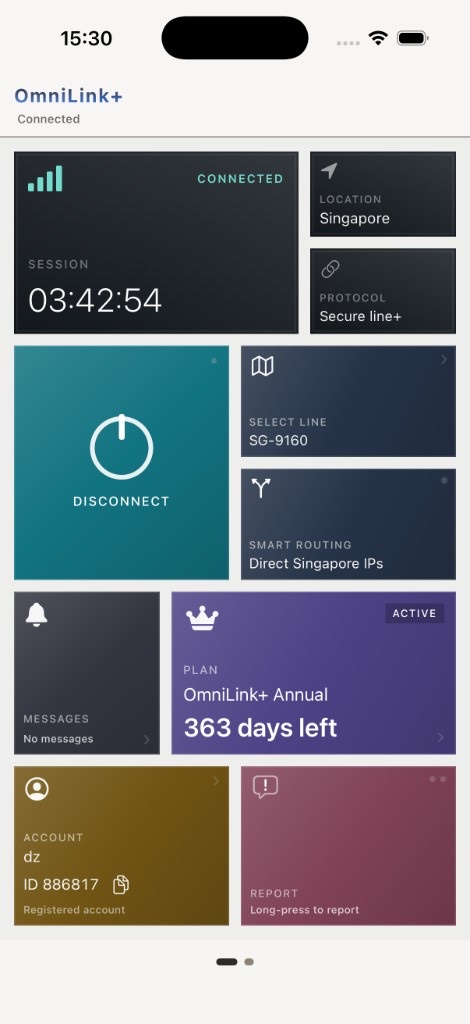
Connect board
Select a line, choose a routing mode and control the session without leaving the main board.
Tunnel stack
Encrypted sessions are completed inside OmniLink+’s Packet Tunnel extension.
Live endpoint catalog
Endpoint names, regions, line classes and reachability arrive from the service. Manual refresh keeps the list aligned with current conditions.
Browse the directory, compare region and line class, then select a compatible entry. An unavailable line is disabled and explains why.
Switch routing behavior from the Connect board.
Region-aware rules keep local-region traffic direct while the remaining traffic enters the tunnel. On-device DNS mapping runs inside the extension.
Send eligible traffic through the selected endpoint when a single route is preferred.
Accounts and access
A registered account is required before an App Store plan can be purchased.
Open OmniLink+ and sign in with a username and password.
Create an account with a username and password, change the password in Tools and copy the Account ID for support.
Sign in to load member endpoints, purchase a duration plan and use the complete workbench while the entitlement is active.
Account deletion is requested through the website process. Read Account Deletion before proceeding, especially if an Apple subscription is active.
Tools board
The second board keeps service tasks close to the connection state instead of sending you to unrelated systems.
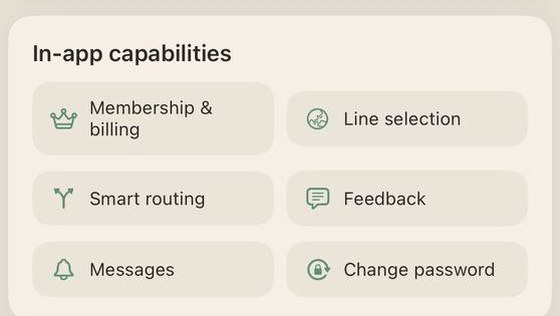
Choose a duration, review disclosures and restore eligible purchases.
Read operations and maintenance notices.
Submit a ticket and review its history.
Review App Group state, connectivity, DNS latency and the latest tunnel error summary; copy logs when needed.
Run a service-side version check and follow the update path when required.
Open in-app information and the matching website policies.
Privacy and security